
How to find content on Europeana
The “Europeana Portal Search” is the backbone of the whole platform and allows you to search the Europeana collections. Using the searching functions is very easy after the first explanation. So here we go.
Simple Search

- 1st: go to europeana.eu
- 2nd: click into the search bar and fill in your search term
Now you can see a random compilation of Europeana’s objects that you can further narrow down by using the different filter functionalities on the right hand side. You can select a theme, specify the datatype (Image, Text, etc.) and the usage possibilities. If you want to go deeper you can also choose the country, aggregator or institution providing the item, or filter after rights statements.
Once you have selected your filters, you can browse the results to find an item that suits your needs. Click on the item and then on the blue download button on the right hand side of the screen. Now you can use the item according to the attached rights statement.
In the following video you can see the described steps visualised.
Advanced Search
Europeana also offers the possibilty to refine your search parameters. If you want to use the “Advanced Search”, look for the blue-colored text string “Show Advanced Search” in the filter column and click on it.
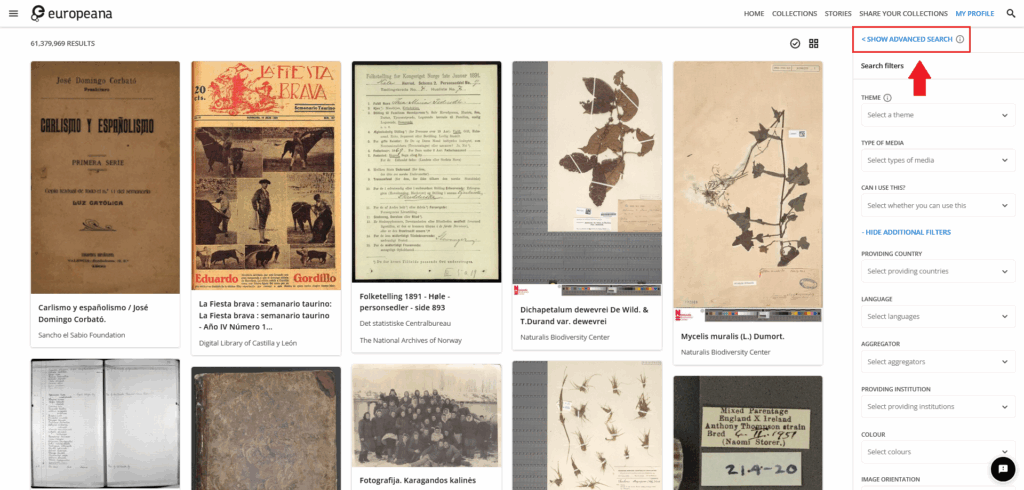
As you can see in the next picture, an additional search bar appears. There you can fill in “field”, “modifier” and “search term(s)”. Click the “add”-button to combine different search parameters.
The dropdown menu of the “field” parameter contains possible metadata fields of an Europeana record. You can look for a title, creators, an identifier and many more. The modifier defines if the results should contain or not contain the entered search terms.
